BackendFeatured
Microservices Architecture with Node.js
3 min read
By Dipendra Kumar
328 views
Node.jsMicroservicesArchitectureDocker
Microservices Architecture with Node.js
Building modern, scalable applications requires an architecture that is flexible, reliable,and easy to maintain. Microservices Architecture helps achieve this by breaking a large application into smaller, independent services.
In this blog, we’ll understand microservices and how to build them using Node.js.
What is Microservices Architecture?
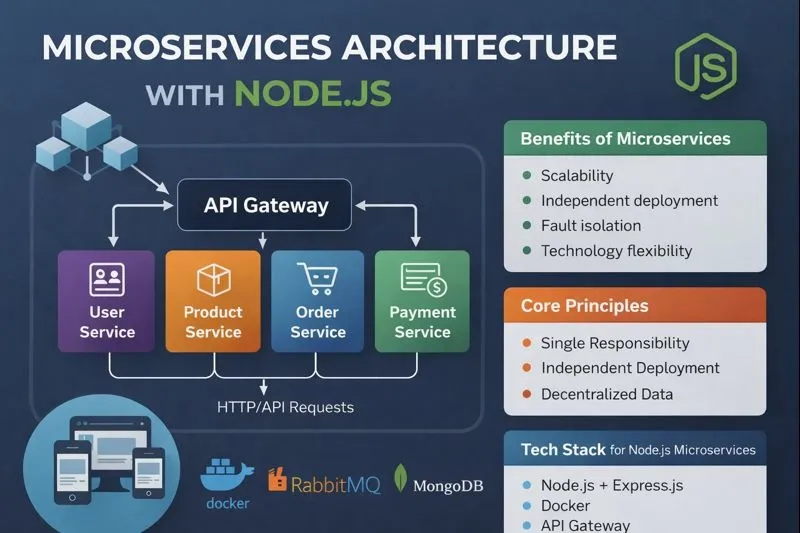
Microservices Architecture is a design approach where an application is divided into small, independent services, and each service:

1. Performs one specific function
2. Runs independently
3. Communicates with other services using APIs or messages
4. Can be developed, deployed, and scaled separately

👉 Example:
An e-commerce app can have separate services for:

1. User Service
2. Product Service
3. Order Service
4. Payment Service
Why Use Microservices?
👉 Key Benefits

1. Scalability – Scale only the services that need more load handling
2. Faster Development – Teams can work on different services in parallel
3. Fault Isolation – One service failure doesn’t crash the whole system
4. Technology Flexibility – Each service can use different tools if needed
5. Easy Deployment – Deploy services independently without downtime
Why Node.js for Microservices?
1. Node.js is a popular choice for microservices because:
2. Non-blocking, event-driven architecture
3. High performance for I/O-intensive applications
4. Lightweight and fast
5. Large ecosystem (npm)
6. Perfect for REST APIs and real-time systems
Core Principles of Microservices
1. Single Responsibility
Each service should do only one job.

❌ Bad: User + Payment in one service
✅ Good: Separate User Service and Payment Service

2. Independent Deployment
You should be able to deploy one service without affecting others.

3. Decentralized Data Management
Each service should have its own database.

4. Communication via APIs or Events
Services talk using:

i. REST APIs
ii. Message queues (RabbitMQ, Kafka)
Basic Microservices Architecture Flow
1. Client sends request
2. API Gateway receives request
3. Request is routed to a specific service
4. Service processes logic
5. Response is returned to client
Building Microservices with Node.js
Tech Stack Example

1. Node.js + Express.js – Backend services
2. Docker – Containerization
3. MongoDB / PostgreSQL – Database
4. API Gateway – Request routing
5. Message Queue – Async communication
API Gateway Concept
Instead of calling services directly, clients talk to an API Gateway.

Benefits:

1. Single entry point
2. Authentication & authorization
3. Load balancing
4. Request routing
Using Docker with Microservices
Docker helps package each service with its dependencies.

Advantages:

1. Consistent environment
2. Easy deployment
3. Works well with CI/CD
4. Each microservice gets its own Docker container.
Common Challenges
1. Service communication complexity
2. Data consistency
3. Monitoring and logging
4. Debugging distributed systems

💡 Solution: Use proper logging, monitoring tools, and design patterns.
Best Practices
1. Keep services small and focused
2. Use API Gateway
3. Implement centralized logging
4. Secure APIs using JWT or OAuth
5. Automate deployments with CI/CD
When to Avoid Microservices?
1. Small applications
2. Simple CRUD projects
3. Very small development teams

👉 Start with Monolithic Architecture, then migrate if required.
Conclusion
Microservices Architecture with Node.js enables developers to build scalable, resilient, and high-performance applications. While it adds architectural complexity, it is highly effective for large and growing systems.

If you are building enterprise-grade or scalable platforms, microservices with Node.js is a strong choice 🚀
Share:
Related Posts

Full-Stack Development
In this blog, I share my experience of building a full-stack web application with authentication, backend security, and real-world best practices.
2 min read
AI & Machine Learning · Case Study · AgriTech
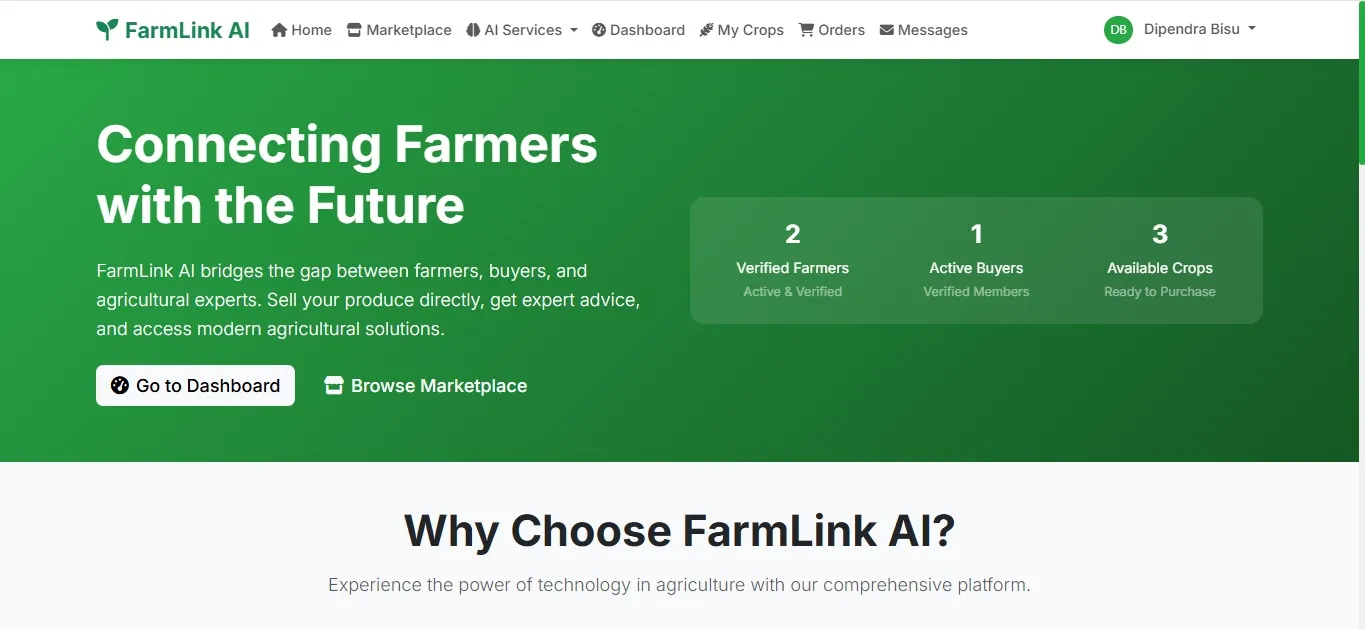
Farmlink AI is an AI-powered agriculture platform built using Flask, PostgreSQL, and Generative AI to provide smart crop recommendations, real-time weather insights, and intelligent farming advisory for data-driven decision making.
4 min read